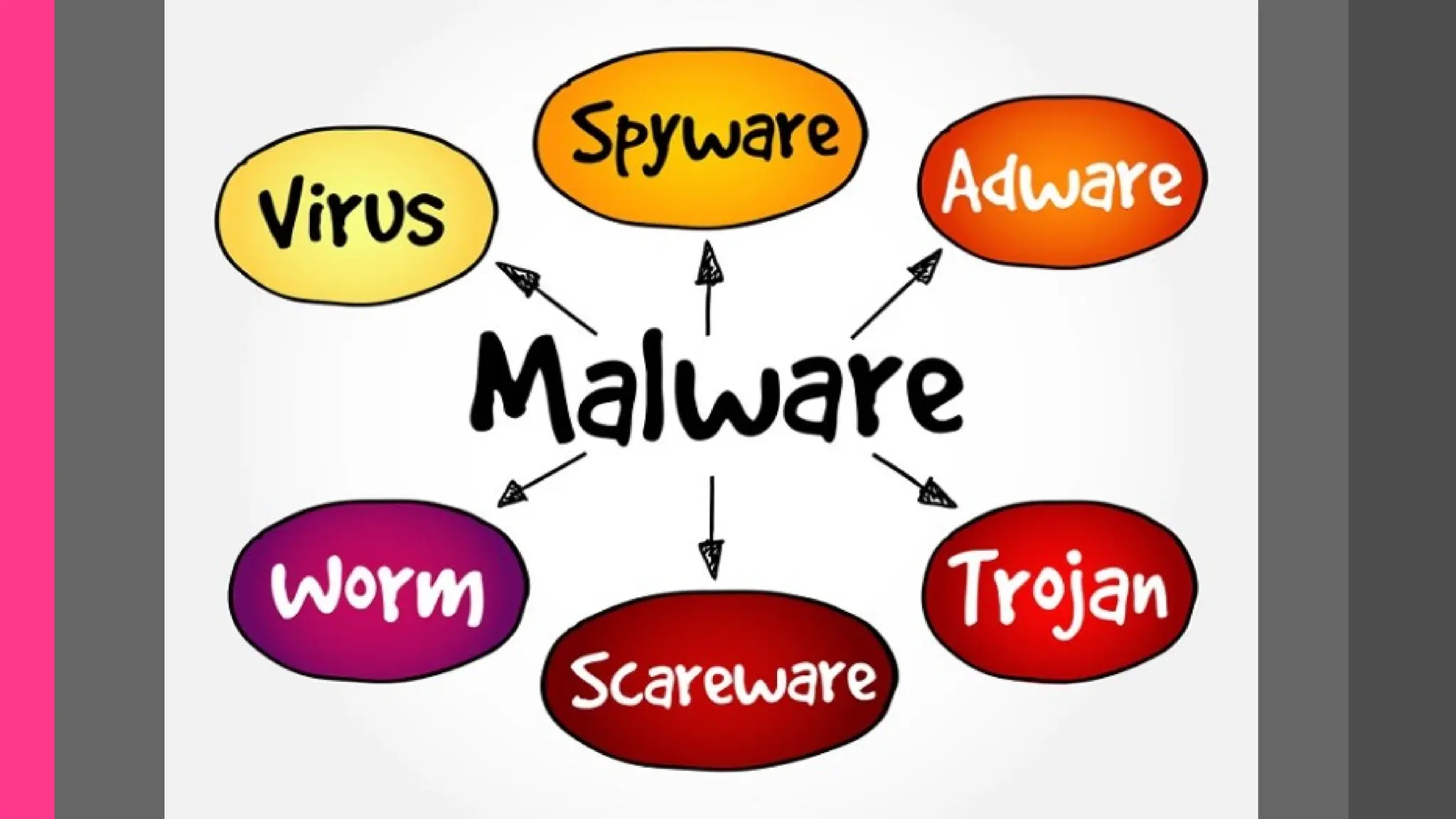
What is Malware?
•a computer program
responsible for causing a
disturbance in your system's
working and carrying out
other illicit activities
TYPES AND EXAMPLES
1. VIRUS
Oldest Malware type and one of the most
common. It is a computer program that, after
infiltrating the system, replicate itself by
modifying the codes of other programs. It also
has the ability to reproduce in large numbers. A
virus needs a host program to write its code on
that program and replicate. Viruses are usually
spread through a word file or executable file.
Example of Viruses
• File-infecting Virus
A virus that attached itself to an executable program. It is also called a
parasitic virus which typically infects files with .exe or .com extensions. Some file
infectors can overwrite host files and others can damage your hard drive’s
formatting.
• Macro Virus
This type of virus is commonly found in programs such as Microsoft Word or
Excel. These viruses are usually stored as part of a document and can spread when
the files are transmitted to other computers, often through email attachments.
• Browser Hijacker
This virus targets and alters your browser setting. It is often called a browser
redirect virus because it redirects your browser to other malicious websites that you
don’t have any intention of visiting. This virus can pose other threats such as
changing the default home page of your browser.
• Web Scripting Virus
A very sneaky virus that targets popular websites. What this virus
does is overwrite code on a website and insert links that can install
malicious software on your device. Web scripting viruses can steal your
cookies and use the information to post on your behalf on the infected
website.
• Boot Sector Virus
These viruses are once common back when computers are booted
from floppy disks. Today, these viruses are found distributed in forms of
physical media such as external hard drives or USB. If the computer is
infected with a boot sector virus, it automatically loads into the memory
enabling control of your computer.
• Polymorphic Virus
This virus has the capability to evade anti-virus programs since it
can change codes every time an infected file is performed.
• Resident Virus
A resident virus stores itself on your computer’s
memory which allows it to infect files on your
computer. This virus can interfere with your
operating system leading to file and program
corruption.
• Multipartite Virus
A type of virus that is very infectious and can
easily spread on your computer system. It can infect
multiple parts of a system including memory, files,
and boot sector which makes it difficult to contain.
2. Worms
A malicious program that uses computer
networks to spread itself. It takes advantage
of the security failures of a system to target
it. Once it takes control of a device, it will
scan other systems connected to it and infect
them. Unlike viruses, worms do not need a
host to grow. The worms are largely spread
through emails and message services.
Examples of Worms
• Email worms
Email worms work by creating and sending outbound messages to all the
addresses in a user's contact list. The messages include a malicious executable
file that infects the new system when the recipient opens it.
• File-sharing worms
File-sharing worms copy themselves into shared folders and spread
through peer-to-peer file-sharing networks. Worm authors often disguise these
malicious programs as media files.
• Cryptoworms
Cryptoworms work by encrypting data on the victim's system.
Perpetrators can use this type of worm in ransomware attacks, where they
follow up with the victim and demand payment in exchange for a key to decrypt
the files.
• Internet worms
Some computer worms specifically target popular websites
with poor security. If they can infect the site, they can infect a
computer accessing the site. From there, internet worms spread
to other devices that the infected computer connects to through
the internet and private network connections.
• Instant messaging worms
Like email worms, instant messaging worms are masked
by attachments or links, which the worm continues to spread to
the infected user's contact list. The only difference is that
instead of arriving in an email, it comes as an instant message
on a chat service. If the worm hasn't had time to replicate itself
onto the computer, the user can change their password on the
chat service account to prevent its spread.
3. Trojans
A trojan is a malicious program that pretends to be
legitimate and attracts users to install it by
misrepresenting itself as useful software for their
system. It is one of the most dangerous malware since it
can remain unnoticed by the user and work silently in
the background. Once it gets entered into the system,
the attackers behind it can gain unauthorized access to
your device and steal your private information and
data. The Trojan can also install other dangerous
malware like Ransomware. Trojans are mainly spread
through utility software, spam email attachments.
Examples
• Backdoor Trojans
As the name implies, this Trojan can create a “backdoor” on a computer
to gain access to it without the user’s knowledge. A backdoor Trojan allows an
attacker to acquire remote access to control a computer, typically uploading,
downloading, or executing data at will. These are one of the most basic yet
potentially harmful varieties of Trojans. They are primarily used to install
new malware, spy on you, and steal your data.
• Distributed Denial of Service (DDoS) attack Trojans
Developed solely to recruit your device into a botnet – networks of
hijacked computer devices used to carry out various scams and cyberattacks.
Such malicious programs are intended to launch a DDoS attack from an
infected computer to a pre-specified IP address. The goal is to bring a network
down by flooding it with traffic. This traffic is generated by your infected
computer and others like it.
• Fraudulent antivirus Trojans
A fake antivirus Trojan mimics the functions of genuine antivirus
software and is designed to detect and eliminate dangers in the same way
that a real antivirus program does. But it extorts money from users for
removing threats that may or may not exist. When users pay for these
services, their payment information is sent to the Trojan’s creator for
further misuse.
• Downloader Trojans
A Trojan-downloader is a sort of Trojan that installs itself on the
system and then connects to a remote server or website to download more
applications (typically malware) onto the affected machine. This Trojan is
designed to infect a computer even more than it already is. It downloads
and installs new versions of malicious applications. “invoice.exe” or
“accounts.exe.” Once the file attachment is opened, the trojan-
downloader is installed onto the system.
• Mailfinder Trojans
A mailfinder Trojan seeks to harvest and steal email addresses saved on
a computer and sends them to the criminal users via email, the web,
file transfer protocol (FTP), or other methods. Cybercriminals then utilize
stolen addresses to send out large, bulk-based mailings of malware and spam.
• Rootkit Trojans
Rootkits are meant to conceal specific activities or items in the system.
Their primary goal is to prevent the detection of malicious tasks to extend the
time the programs can function on the machine, resulting in maximum
damage.
• Remote Access Trojans
Remote access Trojan (RAT) is malware that enables attackers to control
infected machines remotely. Once the RAT is installed on a compromised
machine, the attacker can transmit commands to it and receive data in
response. These Trojans are among the deadliest since they create countless
opportunities for remote access to the compromised system.
• Ransomware Trojans
This sort of Trojan alters data on the victim’s computer so that the victim can no
longer use it or hinders the computer from functioning correctly. The user receives a
ransom demand once the data has been “taken hostage” (restricted or encrypted) by the
ransomware Trojan. The ransom demand instructs the victim to send money to the
malicious user; upon receipt, the cybercriminal sends the victim a program to restore the
victim’s data or computer’s performance.
• Short message service (SMS) Trojans
An SMS Trojan infects mobile devices (usually Android) and can send and
intercept text messages. This involves sending messages to high-cost phone numbers,
which raises the cost of a user’s phone bill. SMS Trojans can operate in a variety of
ways. For example, Faketoken transmits mass SMS messages to premium overseas lines
while impersonating a typical SMS app.
• Banking Trojans
Banking Trojans are ubiquitous examples of malware. This Trojan type targets
online activities and personal information used for banking. Given the growing
popularity of online banking and the carelessness of bank account holders, this is a
viable approach for cyber-attackers to obtain funds quickly.
4. Spyware
Spyware is an ill-disposed, unwanted computer program that stealthily spies
activities on your system and reports everything to its creator. Some Spyware can
install malicious programs and change system settings. It is one of the most common
malware infections since it easily enters the system when users click on an intriguing
pop-up or through a bundled software.
• Example:
The Pegasus spy­
ware is a well-known spy­
ware program by the NSO Group, a
technology company based in Israel. The Pegasus spy­
ware targets mobile devices
running both on the iOS and Android operating systems. It has infected devices
globally since its development in 2011.
The Pegasus spy­
ware gained much notoriety and attention in global media
when it was discovered in the phone of Ahmed Mansoor, an Arab blogger and activist.
The features of the Pegasus spy­
ware have included taking screen­
shots, saving what
you type on the device and listening to phone calls. On top of that, the program is
capable of removing itself from the device when discovered.
5. Ransomware
Ransomware is one of the most dangerous malware programs. It is mainly
because, unlike other common malicious programs, there is probably no cure for
Ransomware attacks. After infiltrating your system, Ransomware locks your files
and folders with a robust encrypting algorithm. The attacker behind it then asks
you for ransom in return for a decrypting tool or key. Mostly Ransomware is
spread through drive-by downloads or phishing.
6. Adware
An Adware is unwanted software designed to bombard irrelevant,
untrustworthy ads on your web browser or sometimes randomly on your screen. It
usually enters through malicious web extensions or rogue software.
7. Rootkit
A Rootkit is a type of malware that provides the root privilege to the
attacker. A root privilege means getting the administrative rights of the system. It
acts as a backdoor for other malware to enter the system. Since Rootkits resides
deep inside the kernel of the operating system, it is challenging to detect and
remove them. Many times, reinstalling the OS is the only option.
8. Keylogger
A keylogger is a dangerous malware that records all your keystrokes. It
sends it to the attacker, who can analyze the keys you press and dig out the
sensitive information such as login credentials, banking details, and literally
anything private that your enter using your keyboard.
9. Browser Hijacker
Browser Hijacker, also known as Browser Virus, is a malware type that
can take control of your browser and change its settings to promote an affiliated
page or a fake search engine. By hijacking the browser's settings, the browser
hijacker can also initiate the drive-by downloads and change settings like default
search engine, homepage, new tab redirection, and more. A Browser Hijacker can
also introduce other malware like Trojans, Adware, or Keyloggers to the system.
Browser Hijacker usually gets entry through a rogue web extension or add-ons.
10. Botnet
A Botnet is a network of infected computers controlled remotely by a
cybercriminal. Each bot acts as a Zombie and infects other systems to join it in the
Botnet. Hackers can use a Botnet for carrying out various malicious activities like
DDoS attacks, cryptojacking, keylogging, and more.
VIRUSES
03/28/2023
SIGNS
• UNEXPECTED POP-UP WINDOWS
Unexpected or unusual dialog boxes and windows can be a bad sign. Fake
virus warnings claim you have security threats on your computer and usually
prompt you to click a link or call a number.
• RANDOM SOUNDS
Infected computers are often programmed to respond with an audio signal to
things you can’t control. If you regularly hear chimes and bells from your computer
that seem phantom, your computer may have a virus or malware infection.
• UNEXPECTED FILE OR FOLDER CHANGES
Your files might be missing or the icons and content of your files may be
different. Your computer won’t make these types of changes to your files unless you
have a virus or technical problem, though corrupted browser bookmarks shouldn’t
be regarded as a warning sign. It’s common for bookmark icons to become jumbled
by a browser such as Chrome.
• SLOW OPERATION
Pay attention to whether your computer is running more slowly than usual, especially
if its hard drive light (if it has one) is constantly on or its fan is operating at full speed. This
suggests the computer’s resources are being redirected away from legitimate programs.
• RANDOM CONNECTIONS TO UNKNOWN WEBSITES
Another sign of an infection is when your legitimate antivirus software alerts you that
an application is trying to connect to a website you’ve never heard of. In general, your
computer doesn’t make its own connections; someone has to initiate them. If you didn’t initiate
these connections, problematic software could be doing it for you.
• UNEXPECTED IMAGES
You might see pornographic images pop up or replace benign images, such as photos
on news sites. A related sign that your computer is infected is the constant appearance of pop-
up ads for sites you don’t usually visit.
• INABILITY TO DOWNLOAD ANTIVIRUS PROGRAMS OR UPDATES
Computer viruses aren’t living thing, but some are programmed with a self-
preservation instinct. For the average computer user, the best way to kill a virus is via an
antivirus scan. If you’re an having trouble downloading and installing the antivirus software
or you’re unable to update your existing program, the virus maybe defending itself.
• SPAM SENT FROM YOUR EMAIL ADDRESS OR SOCIAL MEDIA
Malware can work in many different ways. One variant sends random
messages to your contact lists. This infection spread across the internet by tricking
people into clicking on infected link. The link then spreads the malware to that
person, who unwittingly spreads it throughout their friend list. By logging out of
your accounts, creating strong passwords and implementing security measures like
two-factor authentication, any thwart any further intrusion.
• SUDDEN LACK OF HARD DRIVE SPACE
Have you suddenly run out of space on your hard drive? Self-replicating
viruses or worms(often called “disk bombs”) can wreak havoc on a computer system
by rapidly filling hard drives with copies itself. In many cases, the files injects into a
hard drive are invisible under default file-browsing settings.
• STRANGE RUNNING PROCESSES
If your computer is acting strangely or not running as smoothly as you’d
expect, type “Task Manager” into the search bar of Windows. This will list all
processes consuming system resources, including rogue processes running in the
background.
HOW TO DEAL WITH
MALWARES?
• AVOID UNFAMILIAR URLs
Compromised websites often loaded with malware, and some to-
level domains (the final part of any website’s address, or URL) are
synonymous with malware. Threat intelligent experts at Spamhaus
reported in June 2022 that a website bearing the .ci TLD (top-level
domain) is over 86% more likely to be associated with spam in some
way .ci is the country code TLD for Ivory Coast.
Other widely abused TLDs include .mw, .surf, .cn, and .top. If
you’re “invited” to visit a website at any of these domains, especially
through an unsolicited message, approach them with great caution; they
are likely malware and spyware repositories.
• MAINTAIN YOUR INSTALLED PROGRAMS
One of the primary ways viruses gain access to a system is through
security lapses in existing software. A first step to prevent your computer from
getting infected is to ensure your applications, antivirus software and operating
system are up to date.
• INSTALL ONLY ONE ANTIVIRUS SOLUTION
It may seem wise to have a multiple layers of antivirus protection to
secure your devices from hackers, but the law of diminishing returns applies. If
you have more than one antivirus software program installed on your machine,
you run the risk of having them cancel each other out because each thinks the
other is a virus. This can result in limited antivirus protection at best or file
corruption at worst.
• AUTOMATE VIRUS SCANS
You don’t have to be next to your computer when it conducts a virus scan.
Most modern antivirus software has automation features that let you set a
specific time for the computer to run a scan.
• POP THOSE POP-UPS
If you’re dealing with rogue pop-ups on your computer, stop the process
the process running the pop-up.
WINDOWS PC: Launch the “Task Manager”, locate the process you suspect is
running the pop-up and stop the pop-up.
MAC: Select the Apple Menu and choose “Force Quit”. Locate the process you
suspect is running the pop-up and click “Force Quit”.
• RESTART YOUR COMPUTER IN SAFE MODE
Starting your computer in safe mode gives you a chance to run your
antivirus software and take closer look at the issue. Begin by rebooting the
computer.
WINDOWS: On a Windows PC press and old F8 as soon as the reboot begins,
and then choose safe mode from the menu that appears.
MAC: On a Mac, hold down the Shift Key while rebooting and then perform an
antivirus scan to eliminate any other potential infections.
• BOOT FROM A RESCUE CD
Some malware can destroy antivirus software. When that
happens, you may be able to create a Linux-based rescue CD to
reboot your computer and disinfect or repair corrupted files. Most
major antivirus software makers offer these files for free, but
you’ll access to another PC with a broadband connection and a CD
burner. Without a disk drive, this option won’t work for you.
• TAKE ACTION DEPENDING THE MALWARE YOU HAVE
Regardless of type,, malware can cause significant problems
for any machine in any business. If you can identify what you’re
dealing wit, you may be able to take specific steps to foil the
program. Consult your antivirus software, IT expert or online tech
support service to learn the best way to handle your system’s
infection.

malwares in modern technology world.pptx

  • 2.
    What is Malware? •acomputer program responsible for causing a disturbance in your system's working and carrying out other illicit activities
  • 3.
    TYPES AND EXAMPLES 1.VIRUS Oldest Malware type and one of the most common. It is a computer program that, after infiltrating the system, replicate itself by modifying the codes of other programs. It also has the ability to reproduce in large numbers. A virus needs a host program to write its code on that program and replicate. Viruses are usually spread through a word file or executable file.
  • 4.
    Example of Viruses •File-infecting Virus A virus that attached itself to an executable program. It is also called a parasitic virus which typically infects files with .exe or .com extensions. Some file infectors can overwrite host files and others can damage your hard drive’s formatting. • Macro Virus This type of virus is commonly found in programs such as Microsoft Word or Excel. These viruses are usually stored as part of a document and can spread when the files are transmitted to other computers, often through email attachments. • Browser Hijacker This virus targets and alters your browser setting. It is often called a browser redirect virus because it redirects your browser to other malicious websites that you don’t have any intention of visiting. This virus can pose other threats such as changing the default home page of your browser.
  • 5.
    • Web ScriptingVirus A very sneaky virus that targets popular websites. What this virus does is overwrite code on a website and insert links that can install malicious software on your device. Web scripting viruses can steal your cookies and use the information to post on your behalf on the infected website. • Boot Sector Virus These viruses are once common back when computers are booted from floppy disks. Today, these viruses are found distributed in forms of physical media such as external hard drives or USB. If the computer is infected with a boot sector virus, it automatically loads into the memory enabling control of your computer. • Polymorphic Virus This virus has the capability to evade anti-virus programs since it can change codes every time an infected file is performed.
  • 6.
    • Resident Virus Aresident virus stores itself on your computer’s memory which allows it to infect files on your computer. This virus can interfere with your operating system leading to file and program corruption. • Multipartite Virus A type of virus that is very infectious and can easily spread on your computer system. It can infect multiple parts of a system including memory, files, and boot sector which makes it difficult to contain.
  • 7.
    2. Worms A maliciousprogram that uses computer networks to spread itself. It takes advantage of the security failures of a system to target it. Once it takes control of a device, it will scan other systems connected to it and infect them. Unlike viruses, worms do not need a host to grow. The worms are largely spread through emails and message services.
  • 8.
    Examples of Worms •Email worms Email worms work by creating and sending outbound messages to all the addresses in a user's contact list. The messages include a malicious executable file that infects the new system when the recipient opens it. • File-sharing worms File-sharing worms copy themselves into shared folders and spread through peer-to-peer file-sharing networks. Worm authors often disguise these malicious programs as media files. • Cryptoworms Cryptoworms work by encrypting data on the victim's system. Perpetrators can use this type of worm in ransomware attacks, where they follow up with the victim and demand payment in exchange for a key to decrypt the files.
  • 9.
    • Internet worms Somecomputer worms specifically target popular websites with poor security. If they can infect the site, they can infect a computer accessing the site. From there, internet worms spread to other devices that the infected computer connects to through the internet and private network connections. • Instant messaging worms Like email worms, instant messaging worms are masked by attachments or links, which the worm continues to spread to the infected user's contact list. The only difference is that instead of arriving in an email, it comes as an instant message on a chat service. If the worm hasn't had time to replicate itself onto the computer, the user can change their password on the chat service account to prevent its spread.
  • 10.
    3. Trojans A trojanis a malicious program that pretends to be legitimate and attracts users to install it by misrepresenting itself as useful software for their system. It is one of the most dangerous malware since it can remain unnoticed by the user and work silently in the background. Once it gets entered into the system, the attackers behind it can gain unauthorized access to your device and steal your private information and data. The Trojan can also install other dangerous malware like Ransomware. Trojans are mainly spread through utility software, spam email attachments.
  • 11.
    Examples • Backdoor Trojans Asthe name implies, this Trojan can create a “backdoor” on a computer to gain access to it without the user’s knowledge. A backdoor Trojan allows an attacker to acquire remote access to control a computer, typically uploading, downloading, or executing data at will. These are one of the most basic yet potentially harmful varieties of Trojans. They are primarily used to install new malware, spy on you, and steal your data. • Distributed Denial of Service (DDoS) attack Trojans Developed solely to recruit your device into a botnet – networks of hijacked computer devices used to carry out various scams and cyberattacks. Such malicious programs are intended to launch a DDoS attack from an infected computer to a pre-specified IP address. The goal is to bring a network down by flooding it with traffic. This traffic is generated by your infected computer and others like it.
  • 12.
    • Fraudulent antivirusTrojans A fake antivirus Trojan mimics the functions of genuine antivirus software and is designed to detect and eliminate dangers in the same way that a real antivirus program does. But it extorts money from users for removing threats that may or may not exist. When users pay for these services, their payment information is sent to the Trojan’s creator for further misuse. • Downloader Trojans A Trojan-downloader is a sort of Trojan that installs itself on the system and then connects to a remote server or website to download more applications (typically malware) onto the affected machine. This Trojan is designed to infect a computer even more than it already is. It downloads and installs new versions of malicious applications. “invoice.exe” or “accounts.exe.” Once the file attachment is opened, the trojan- downloader is installed onto the system.
  • 13.
    • Mailfinder Trojans Amailfinder Trojan seeks to harvest and steal email addresses saved on a computer and sends them to the criminal users via email, the web, file transfer protocol (FTP), or other methods. Cybercriminals then utilize stolen addresses to send out large, bulk-based mailings of malware and spam. • Rootkit Trojans Rootkits are meant to conceal specific activities or items in the system. Their primary goal is to prevent the detection of malicious tasks to extend the time the programs can function on the machine, resulting in maximum damage. • Remote Access Trojans Remote access Trojan (RAT) is malware that enables attackers to control infected machines remotely. Once the RAT is installed on a compromised machine, the attacker can transmit commands to it and receive data in response. These Trojans are among the deadliest since they create countless opportunities for remote access to the compromised system.
  • 14.
    • Ransomware Trojans Thissort of Trojan alters data on the victim’s computer so that the victim can no longer use it or hinders the computer from functioning correctly. The user receives a ransom demand once the data has been “taken hostage” (restricted or encrypted) by the ransomware Trojan. The ransom demand instructs the victim to send money to the malicious user; upon receipt, the cybercriminal sends the victim a program to restore the victim’s data or computer’s performance. • Short message service (SMS) Trojans An SMS Trojan infects mobile devices (usually Android) and can send and intercept text messages. This involves sending messages to high-cost phone numbers, which raises the cost of a user’s phone bill. SMS Trojans can operate in a variety of ways. For example, Faketoken transmits mass SMS messages to premium overseas lines while impersonating a typical SMS app. • Banking Trojans Banking Trojans are ubiquitous examples of malware. This Trojan type targets online activities and personal information used for banking. Given the growing popularity of online banking and the carelessness of bank account holders, this is a viable approach for cyber-attackers to obtain funds quickly.
  • 15.
    4. Spyware Spyware isan ill-disposed, unwanted computer program that stealthily spies activities on your system and reports everything to its creator. Some Spyware can install malicious programs and change system settings. It is one of the most common malware infections since it easily enters the system when users click on an intriguing pop-up or through a bundled software. • Example: The Pegasus spy­ ware is a well-known spy­ ware program by the NSO Group, a technology company based in Israel. The Pegasus spy­ ware targets mobile devices running both on the iOS and Android operating systems. It has infected devices globally since its development in 2011. The Pegasus spy­ ware gained much notoriety and attention in global media when it was discovered in the phone of Ahmed Mansoor, an Arab blogger and activist. The features of the Pegasus spy­ ware have included taking screen­ shots, saving what you type on the device and listening to phone calls. On top of that, the program is capable of removing itself from the device when discovered.
  • 16.
    5. Ransomware Ransomware isone of the most dangerous malware programs. It is mainly because, unlike other common malicious programs, there is probably no cure for Ransomware attacks. After infiltrating your system, Ransomware locks your files and folders with a robust encrypting algorithm. The attacker behind it then asks you for ransom in return for a decrypting tool or key. Mostly Ransomware is spread through drive-by downloads or phishing. 6. Adware An Adware is unwanted software designed to bombard irrelevant, untrustworthy ads on your web browser or sometimes randomly on your screen. It usually enters through malicious web extensions or rogue software. 7. Rootkit A Rootkit is a type of malware that provides the root privilege to the attacker. A root privilege means getting the administrative rights of the system. It acts as a backdoor for other malware to enter the system. Since Rootkits resides deep inside the kernel of the operating system, it is challenging to detect and remove them. Many times, reinstalling the OS is the only option.
  • 17.
    8. Keylogger A keyloggeris a dangerous malware that records all your keystrokes. It sends it to the attacker, who can analyze the keys you press and dig out the sensitive information such as login credentials, banking details, and literally anything private that your enter using your keyboard. 9. Browser Hijacker Browser Hijacker, also known as Browser Virus, is a malware type that can take control of your browser and change its settings to promote an affiliated page or a fake search engine. By hijacking the browser's settings, the browser hijacker can also initiate the drive-by downloads and change settings like default search engine, homepage, new tab redirection, and more. A Browser Hijacker can also introduce other malware like Trojans, Adware, or Keyloggers to the system. Browser Hijacker usually gets entry through a rogue web extension or add-ons. 10. Botnet A Botnet is a network of infected computers controlled remotely by a cybercriminal. Each bot acts as a Zombie and infects other systems to join it in the Botnet. Hackers can use a Botnet for carrying out various malicious activities like DDoS attacks, cryptojacking, keylogging, and more.
  • 18.
  • 19.
    SIGNS • UNEXPECTED POP-UPWINDOWS Unexpected or unusual dialog boxes and windows can be a bad sign. Fake virus warnings claim you have security threats on your computer and usually prompt you to click a link or call a number. • RANDOM SOUNDS Infected computers are often programmed to respond with an audio signal to things you can’t control. If you regularly hear chimes and bells from your computer that seem phantom, your computer may have a virus or malware infection. • UNEXPECTED FILE OR FOLDER CHANGES Your files might be missing or the icons and content of your files may be different. Your computer won’t make these types of changes to your files unless you have a virus or technical problem, though corrupted browser bookmarks shouldn’t be regarded as a warning sign. It’s common for bookmark icons to become jumbled by a browser such as Chrome.
  • 20.
    • SLOW OPERATION Payattention to whether your computer is running more slowly than usual, especially if its hard drive light (if it has one) is constantly on or its fan is operating at full speed. This suggests the computer’s resources are being redirected away from legitimate programs. • RANDOM CONNECTIONS TO UNKNOWN WEBSITES Another sign of an infection is when your legitimate antivirus software alerts you that an application is trying to connect to a website you’ve never heard of. In general, your computer doesn’t make its own connections; someone has to initiate them. If you didn’t initiate these connections, problematic software could be doing it for you. • UNEXPECTED IMAGES You might see pornographic images pop up or replace benign images, such as photos on news sites. A related sign that your computer is infected is the constant appearance of pop- up ads for sites you don’t usually visit. • INABILITY TO DOWNLOAD ANTIVIRUS PROGRAMS OR UPDATES Computer viruses aren’t living thing, but some are programmed with a self- preservation instinct. For the average computer user, the best way to kill a virus is via an antivirus scan. If you’re an having trouble downloading and installing the antivirus software or you’re unable to update your existing program, the virus maybe defending itself.
  • 21.
    • SPAM SENTFROM YOUR EMAIL ADDRESS OR SOCIAL MEDIA Malware can work in many different ways. One variant sends random messages to your contact lists. This infection spread across the internet by tricking people into clicking on infected link. The link then spreads the malware to that person, who unwittingly spreads it throughout their friend list. By logging out of your accounts, creating strong passwords and implementing security measures like two-factor authentication, any thwart any further intrusion. • SUDDEN LACK OF HARD DRIVE SPACE Have you suddenly run out of space on your hard drive? Self-replicating viruses or worms(often called “disk bombs”) can wreak havoc on a computer system by rapidly filling hard drives with copies itself. In many cases, the files injects into a hard drive are invisible under default file-browsing settings. • STRANGE RUNNING PROCESSES If your computer is acting strangely or not running as smoothly as you’d expect, type “Task Manager” into the search bar of Windows. This will list all processes consuming system resources, including rogue processes running in the background.
  • 22.
    HOW TO DEALWITH MALWARES? • AVOID UNFAMILIAR URLs Compromised websites often loaded with malware, and some to- level domains (the final part of any website’s address, or URL) are synonymous with malware. Threat intelligent experts at Spamhaus reported in June 2022 that a website bearing the .ci TLD (top-level domain) is over 86% more likely to be associated with spam in some way .ci is the country code TLD for Ivory Coast. Other widely abused TLDs include .mw, .surf, .cn, and .top. If you’re “invited” to visit a website at any of these domains, especially through an unsolicited message, approach them with great caution; they are likely malware and spyware repositories.
  • 23.
    • MAINTAIN YOURINSTALLED PROGRAMS One of the primary ways viruses gain access to a system is through security lapses in existing software. A first step to prevent your computer from getting infected is to ensure your applications, antivirus software and operating system are up to date. • INSTALL ONLY ONE ANTIVIRUS SOLUTION It may seem wise to have a multiple layers of antivirus protection to secure your devices from hackers, but the law of diminishing returns applies. If you have more than one antivirus software program installed on your machine, you run the risk of having them cancel each other out because each thinks the other is a virus. This can result in limited antivirus protection at best or file corruption at worst. • AUTOMATE VIRUS SCANS You don’t have to be next to your computer when it conducts a virus scan. Most modern antivirus software has automation features that let you set a specific time for the computer to run a scan.
  • 24.
    • POP THOSEPOP-UPS If you’re dealing with rogue pop-ups on your computer, stop the process the process running the pop-up. WINDOWS PC: Launch the “Task Manager”, locate the process you suspect is running the pop-up and stop the pop-up. MAC: Select the Apple Menu and choose “Force Quit”. Locate the process you suspect is running the pop-up and click “Force Quit”. • RESTART YOUR COMPUTER IN SAFE MODE Starting your computer in safe mode gives you a chance to run your antivirus software and take closer look at the issue. Begin by rebooting the computer. WINDOWS: On a Windows PC press and old F8 as soon as the reboot begins, and then choose safe mode from the menu that appears. MAC: On a Mac, hold down the Shift Key while rebooting and then perform an antivirus scan to eliminate any other potential infections.
  • 25.
    • BOOT FROMA RESCUE CD Some malware can destroy antivirus software. When that happens, you may be able to create a Linux-based rescue CD to reboot your computer and disinfect or repair corrupted files. Most major antivirus software makers offer these files for free, but you’ll access to another PC with a broadband connection and a CD burner. Without a disk drive, this option won’t work for you. • TAKE ACTION DEPENDING THE MALWARE YOU HAVE Regardless of type,, malware can cause significant problems for any machine in any business. If you can identify what you’re dealing wit, you may be able to take specific steps to foil the program. Consult your antivirus software, IT expert or online tech support service to learn the best way to handle your system’s infection.